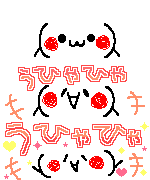
Today im going to teach you squiggle text. This is an animation using photoshop.<3
I'm searching for tutorial of this animation long time ago,
& hell yeah I finally found it.
And I'm going to share this to you :">
Version used : Cs5
Tutorial level :Easy
Preview :

Okay, now let's start.
1 Make a new document. It's up to you what size will you use.
2 Add new layer then choose brush tool. Draw/Doodle anything you want.
 3
3 You done? good. Now Duplicate the layer 1 & you'll get Layer 1 Copy.

Go to layer one and erase it. Use eraser tool for this. Then after you erase it,
keep the Layer 1 Copy Visible. Trace it using brush.
Same size same color. Don't worry if you cant trace it well,
that will make our text squiggly.
 4
4 After that duplicate now the Layer 1 Copy you'll get layer 1 Copy 2. Erase the Layer 1 Copy And repeat what you did on step 3.

Notice that every layer you traced, the text becomes bolder.
5 Open the animation panel ( Window>Animation ). In the first frame,
Go to layer panel. Click layer 1 Copy 2 & click the eye on the left side.
This is your layers visibility. The Layer 1 Copy 2 should be hidden.


 6
6 Now go to animation panel & Duplicate the first frame. Hide layer 1 copy make layer 1 copy 2 visible.

 7
7 Now duplicate the 2nd frame. Hide layer 1. Make layer 1 copy and layer 1 copy 2 visible.


8 Now this is the important part. Select all the frames in animation panel click frame 1 hold shift and click frame 3.
While 3 frames are selected, Click the downward arrow on the bottom of frame 1 and change the delay time at 0.13
and select forever for looping this will make our text squiggly. Click play icon to view your animation & you're done!

 9 to save the animation, go to File>Save for web & devices...
Bye~ :)























































 & now type the text that you want.